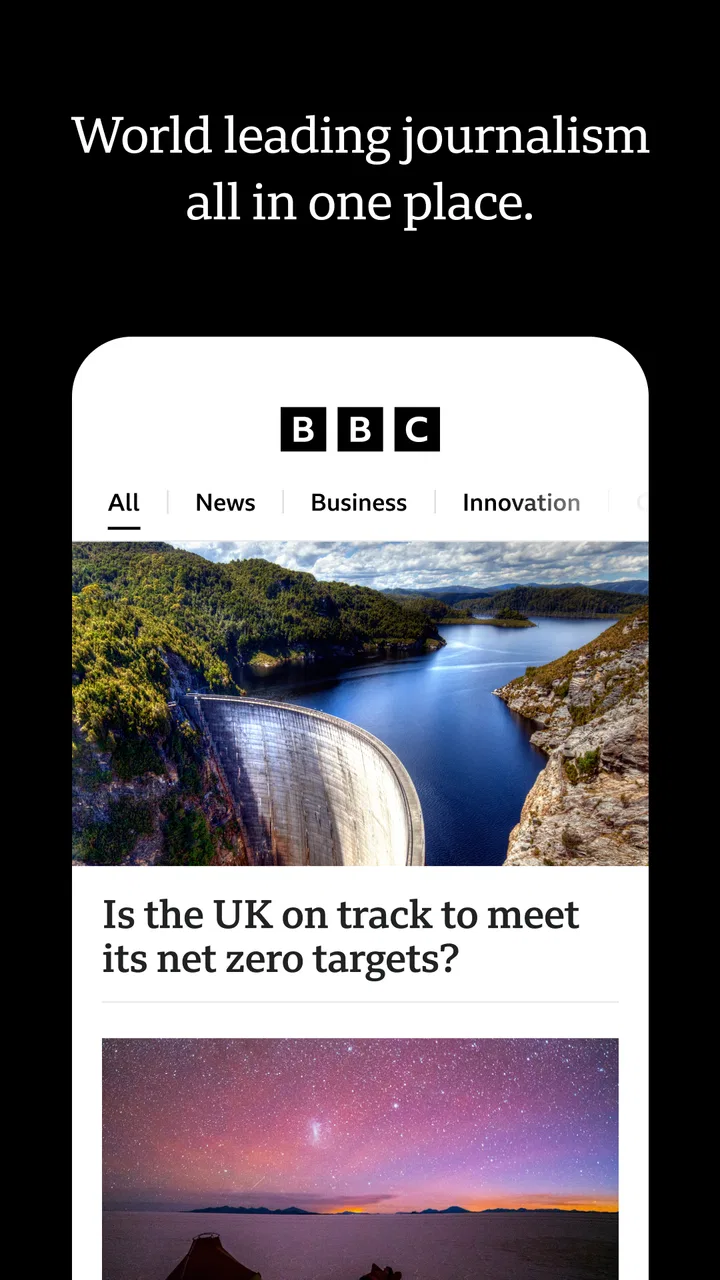
BBC: World News & Stories
- 3.1
- Rating
- 10.00M
- Installs
- Free
- Price

 Analysis by App-foxy
I spent time with BBC: World News & Stories as a daily news companion, and its strongest quality is easy to describe: it brings live reporting, breaking updates, podcasts, and video into one place without asking me to build a complicated news system from scratch. That sounds simple, but it changes how I follow a developing story. Instead of opening a browser, searching several publishers, and then switching to a separate podcast or video app, I can begin with the BBC’s coverage and move between formats as the story develops.
This is a free news and magazine app from BBC Studios Distribution Ltd., aimed at Teen users and available for Android devices running version 7.0 or later. The app has been around since Jun 9, 2011, and its current version is 9.0.10.0. Its reach is substantial, with over 10 million installs, although the average rating sits at 3.5 from around 437 thousand ratings. That combination tells me something useful: many people rely on it, but the experience is not universally smooth or satisfying.
Why the live-and-multimedia approach matters
The feature I found most valuable is the way the app treats a major story as something I can follow in stages. A short written update is useful when I only have a minute. A video can add context when I want to see the people or places involved. A podcast is more practical when I am walking, commuting, or doing household tasks. The app’s live and breaking-news focus gives me a starting point, while the audio and video options let me choose how deeply I want to engage.
You May Also Like

 Pandora - Music & Podcasts
Pandora’s Music Is Easy to Start, but Harder to Recover
Pandora’s strength is its low-effort path from a seed to a station. Its weak spot is how much confidence it asks you to place in connection, setup, and quiet recovery.

 8 Ball Pool
 Is Built on Rivalries, Rematches, and Routine
A close look at the rivalries, rematches, shared routines, and unanswered safety questions that turn a quick pool match into a persistent mobile community.

 Samsung Music
’s Quiet Strength Is Playing What You Already Own
Its reach comes less from spectacle than from dependable access to a personal library. That simplicity is both the app’s strongest retention engine and its ceiling.

 AccuWeather: Weather Radar
AccuWeather Review: A Quick, Clear Forecast for Everyday Decisions
For everyday plans, the best forecast is the one you can understand quickly. AccuWeather makes rain timing, radar, and local conditions easy to act on, with a few trade-offs.

 Hill Climb Racing
Why Hill Climb Racing Still Turns Crashes Into One More Run
A tiny car, a bumpy hill and one more upgrade: Hill Climb Racing keeps resurfacing because its simple chaos makes every near-miss feel personal.

 AliExpress - Shopping App
AliExpress Makes Global Shopping Feel Personal, but Shoppers Bear the Risk
AliExpress turns a global marketplace into a pocket-sized discovery engine. Its reach is useful, its shopping loop compelling, and its trade-offs easy to miss.
More From Our News Desk
View All News


I do not see this as merely a collection of articles. The real benefit is choosing the right format for the amount of attention I have. News apps often force a single habit: endless reading, constant alerts, or a stream of short headlines. This one is more useful when I treat it as a flexible briefing tool. I can scan first, listen later, and return to video when I need a clearer sense of the event.
That flexibility is especially helpful with international news. A headline may tell me what happened, but a short report can explain why it matters. When I have time, moving from a written item to a related video or podcast gives the subject more shape. I still need to judge how much detail I want, but the app reduces the friction between those choices.
The BBC identity also affects how I use it. I open it expecting broad world coverage rather than a narrowly local feed. That makes it a strong companion for readers who want international developments alongside general news. It is less compelling if my main need is a tightly filtered neighborhood bulletin, specialist industry coverage, or a publication built around one political viewpoint.
What the different formats are good for
Live coverage works best when I want to understand the sequence of events. It is not necessarily the best way to form a complete opinion immediately, because early reporting can change as more information becomes available. I use it to establish what is happening now, then return later for a fuller account. That habit prevents me from treating the first update as the final version of the story.
Breaking news is useful for awareness, but it can also interrupt the day. I prefer to check urgent developments deliberately rather than allowing every headline to become a demand for attention. If you are sensitive to a constant sense of urgency, the app may feel more intense than a slower newspaper-style reader.
Podcasts are the better option when my eyes are busy. They turn the app from a quick news checker into something I can use during a commute or while preparing dinner. The trade-off is that audio requires more time than scanning a headline, and it is harder to jump around quickly when I only want one fact.
Video is valuable when visuals genuinely add meaning. It can make a distant event easier to understand, particularly when location, public reaction, or an unfolding scene matters. On the other hand, video is not always the fastest route to a specific detail. If I need one date, name, or explanation, written coverage is usually more efficient.
How I use it during a normal day
My most practical routine starts with a brief scan rather than a long session. I look at the leading developments, open only the items that affect my interests, and leave deeper coverage for a later break. This prevents the app from becoming an endless scroll and makes its variety work in my favor.
For example, imagine checking the app before work and seeing a developing international story. I would read the initial report to understand the basic event, then listen to a related podcast later if I wanted background while traveling. In the evening, I might watch a video report for visual context. That three-step workflow is more useful than reading every update as it appears, because each format serves a different purpose.
A less obvious advantage is that the workflow separates speed from understanding. The live feed satisfies the need to know what is happening. Audio and video give me ways to spend more attention without searching for separate material. I still have to avoid confusing repetition with deeper knowledge, but the app makes it easier to move from awareness toward context.
I also found it helpful to decide in advance whether I am using the app for monitoring or learning. Monitoring means checking current developments quickly and leaving. Learning means choosing one subject and following it beyond the first headline. Mixing those goals can make the experience feel noisy, while keeping them separate makes the app feel much more controlled.
Where it fits beside other news choices
Compared with a general web search, this app gives me a more focused starting point. Search is better when I already know the exact question or want many perspectives immediately. The BBC app is better when I want an organized stream of current reporting without first deciding which search terms to use.
Compared with a newspaper’s dedicated app, it feels more adaptable because the experience is not limited to long written articles. The combination of live updates, podcasts, and video is its distinctive reason to stay installed. A newspaper app may be preferable for readers who want a slower reading experience, strong opinion writing, or a publication-specific archive.
Compared with a social media feed, the app is less dependent on whatever happens to be gaining attention among other users. That can be a relief when I want news rather than commentary. Social platforms may surface eyewitness material or unusual perspectives faster, but they also require more work to judge reliability and relevance. I would use this app as a steadier base, not as my only way to understand a complicated story.
Compared with a podcast-only application, this one is more convenient if I want audio alongside written and visual reporting. A dedicated podcast app remains better for managing a large listening library or following shows from many publishers. The BBC app makes more sense when the news itself is the center of the experience.
The friction I noticed
The average rating of 3.5 suggests that the app’s broad usefulness does not eliminate user frustration. My own main concern is that a live news service can feel busy even when I only want a calm overview. Breaking coverage naturally changes, and that means the app rewards regular, purposeful checking more than passive browsing.
There is also a difference between having several formats available and having every format be equally useful for every story. Some subjects are clearer in writing, some benefit from video, and others work well as audio. I would not install this expecting every item to provide a perfectly balanced package of all three. The strength is choice, not uniformity.
Another trade-off concerns depth. The app is excellent for keeping up with a wide range of developments, but a broad news service cannot replace specialist sources for detailed fields. If I needed technical financial analysis, local reporting, academic coverage, or a highly focused political newsletter, I would add another source rather than expecting this app to cover everything.
In-app purchases range from $8.99 to $89.99 per item. Since the app itself is free, I would pay attention to the purchase screen and decide whether any optional material fits my habits before committing. A person who only wants quick news updates may have no reason to spend money, while someone who uses the audio and video side heavily may evaluate those options differently.
The Teen content rating is also worth keeping in mind for families. It is a general news product, so current events can include serious or upsetting subjects. I would not hand it to a younger child as an unsupervised entertainment app simply because it is free and widely installed.
Who will get the most from it
I think the app is best for people who want one dependable place to check world news and then choose between reading, listening, and watching. It suits commuters, busy professionals, students who need a quick overview before exploring a subject, and anyone who dislikes maintaining several separate news subscriptions.
It is particularly useful for readers who do not want every update to demand the same level of attention. The format-switching workflow lets me spend thirty seconds on a headline or much longer with a podcast, depending on the moment. That makes it more practical than a single-format app when my schedule changes throughout the day.
It may not be the right choice for someone who wants a completely quiet news experience, a local-first feed, or a strongly personalized stream built around narrow interests. It is also not ideal as the sole source for controversial stories. I prefer to use it for a solid starting account, then compare important claims with other reputable reporting when the subject has serious consequences.
For a reader who already has a favorite newspaper and a separate podcast service, the app may feel redundant. Its value comes from reducing those switches, not from replacing every specialized source. If your current setup already gives you excellent local reporting, deep analysis, and convenient audio, installing another broad news app may add clutter rather than clarity.
Small habits that make the experience better
I recommend using the app in sessions with a clear purpose. A quick morning check should stay quick; a deeper evening session can focus on one story instead of jumping through every headline. This simple boundary keeps breaking news from taking over the day.
When a story is developing, I would read the latest update first and then look for a podcast or video only if I need context. Starting with a long format can consume time without answering the immediate question. The reverse order is more efficient: establish the facts, identify what remains unclear, and then choose the format that addresses that gap.
I would also avoid judging a story solely by how prominently it appears. Live services prioritize immediacy, not necessarily personal importance. I use the app to discover what deserves attention, then decide whether the subject matters to my work, family, travel, or broader understanding.
Finally, I would keep a second source available for major decisions. That is not a criticism unique to this app; it is sensible news reading. The BBC’s combination of live reporting and multimedia makes it a strong first stop, but comparison is still valuable when details are disputed or rapidly changing.
My recommendation after using it
BBC: World News & Stories is most convincing when I use its central capability deliberately: moving from immediate news to a more suitable format for context. The live feed gives me speed, podcasts give me hands-free attention, and video helps when visuals matter. That combination makes the app more than a headline list, even though it still has the noise and urgency that come with current reporting.
BBC Studios Distribution Ltd. has made a free app with a broad audience and a clear purpose, but the experience is not flawless. The middling rating reflects the fact that convenience, coverage, and multimedia variety will not satisfy everyone. I would recommend it to a friend who wants broad international awareness in one app, especially someone who regularly changes between reading, listening, and watching.
I would skip it if I wanted only local news, deep specialist analysis, or a completely distraction-free reading tool. For everyone else, it is worth trying as a flexible daily briefing companion. My advice is to use it actively rather than endlessly: scan for what matters, select the format that fits the moment, and bring in another source when a story deserves more than one perspective.
FAQs for BBC: World News & Stories
01What features does the BBC: World News & Stories app offer?
The BBC: World News & Stories app provides users with the latest global news, in-depth articles, live streaming of news events, and personalized notifications. It allows users to explore diverse categories such as politics, business, technology, and entertainment. Additionally, the app includes podcasts and video content to enhance your news experience.
02Is the BBC: World News & Stories app free to use?
Yes, the BBC: World News & Stories app is free to download and use. However, it may contain ads or offer optional in-app purchases for enhanced features or ad-free experiences. Users can access a vast range of news articles and live streams without any subscription fees.
03How often is the content updated in the app?
The content in the BBC: World News & Stories app is updated in real-time. News articles, live streams, and notifications are constantly refreshed to ensure users receive the most current information. This allows you to stay informed with the latest developments as they happen globally.
04Can I customize my news feed in the app?
Yes, the app offers a personalized experience by allowing users to customize their news feed. You can select your preferred topics and categories, ensuring that your feed is tailored to your interests. This feature helps you focus on the news that matters most to you, enhancing your overall user experience.
05Is the BBC: World News & Stories app available offline?
While the app primarily requires an internet connection for live updates, some content can be accessed offline. Users can save articles for later reading when not connected to the internet. This feature is particularly useful for those who want to catch up on news while on the go or in areas with limited connectivity.
Pros
- Comprehensive global news coverage.
- User-friendly and intuitive interface.
- Real-time notifications for breaking news.
- Available offline reading feature.
- High-quality video and audio content.
Cons
- Heavy on data usage for video content.
- Limited personalization options.
- Ads can be intrusive at times.
- Occasional app crashes reported.
- Subscription required for some features.

BBC: World News & Stories
Gallery